
How to Set Up & Optimize Your Google Business Profile
Writen by: Kelly Hillock
Having and optimizing a Google Business Profile for each of your business locations is how you can get a large box with accurate company details to show up when someone searches for your company name in Google. It helps get more appearances in “near me” and “open now” searches, and builds business for you online and in person. The process is fast, easy, and takes minimal effort to get up and running and maintain.
Consistency and accuracy are the most important things. For example, you have to have a physical location with your company name on the door or building. You cannot fake an address and have a friend verify, or use a virtual address. Faking reviews is also not allowed, and may be a violation of federal law, so if someone is recommending either of these, find someone else to take advice from.
There are three sections below to help you get your account up and running.
- Why you should have an account, with unexpected benefits
- How to set one up
- Optimization tips to grow your business
This is a free product provided by Google to help Google learn more about your business. By giving Google the right information and keeping it up to date, they can send you more customers because they know what you do, where you offer services, and the times you’re available to help customers. But that isn’t the only reason to have an account.
Why local companies should have Google Business Profiles
Both local service providers and physical stores should have a Google Business Profile because it can drive new business to the company without having to spend money on advertising, and it can create a better user experience when people are looking for information about your business. Here are a few of the benefits and how having a profile helps them happen.
- Existing customers can find and reach you
- New services can be discovered
- People looking for a solution can find you
- New customers will come through your door
- Word of mouth referrals will gain trust that you are legitimate
- The chances of appearing in more types of Google searches increases
When your customers are looking for your location because they have a reservation for a headshot session or dinner, or they need your phone number to call and schedule an appointment, having a Google Business Profile lets you enter accurate information and keeps your listing up to date. This can also likely feed into Google’s AI answers, helping to make sure that information is correct too. The same goes for business hours if they want to know when you open or close. Now you and your staff can save time by not having to answer these questions over and over.
There’s a services feature that helps increase your revenue by listing all of the types of services you offer. If you’re a nail salon and have a facial or massage specialist three times a week, this can be listed as a service offered and when. Now customers will learn you have it available, and you can increase the services per customer to grow your revenue. It also works for discovery if they didn’t know you offer the service. The same goes for plumbers that offer a monthly check and maintenance plan, or a home improvement specialist that offers similar services like replacing air filters and prepping pipes for the winter.
If you’ve ever needed to find a bakery or cafe for a food item for a party at the last minute and after 5pm, Google Business Profile probably helped. The same with a pharmacy or convenience store open at midnight, or a gas station on a road trip. Google Business Profiles have the hours you operate and a database of products, services, and information about your company thanks to the information you and your customers provide. This way, when someone is looking for an emergency air conditioning repair at 10pm, Google knows where to send them and which businesses to avoid recommending.
Customer reviews also show up and add credibility. Tourists and locals may want to know if a restaurant is good, if a dog walker is trustworthy, or what it’s like to rent an apartment or unit in a building. Google Business Profiles have reviews from real customers that help new customers know you are the right business to trust.
As long as you have an actual physical presence and a business with an actual location (including home-based businesses and service providers), you can have a Google Business Profile. Google has guidelines on the types of businesses that are allowed and not allowed here.
Ready to set up your account and begin building business?
Setting up your account step-by-step
Here are the steps to set up your Google Business Profile account.
1. Click here to go to the main Google Business Profile page and log into your Google account or create one if you don’t have one already.
2. Enter your business name and category. The categories will start to show up as you type, and if Google already knows your business name, it may autofill. If not, type it out and select the option to create a new one.

3. Now select to add a location if you have somewhere customers can visit. If you’re a service provider with no physical location, like a locksmith or cleaning service, select no.

4. Now define where you service clients and customers, this is important to get right because if you pretend you offer services where you don’t, you can lose your account. If you select nothing, Google won’t know who and where to show your business to.
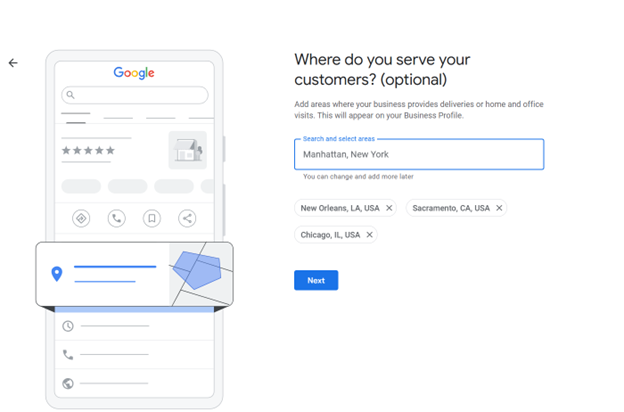
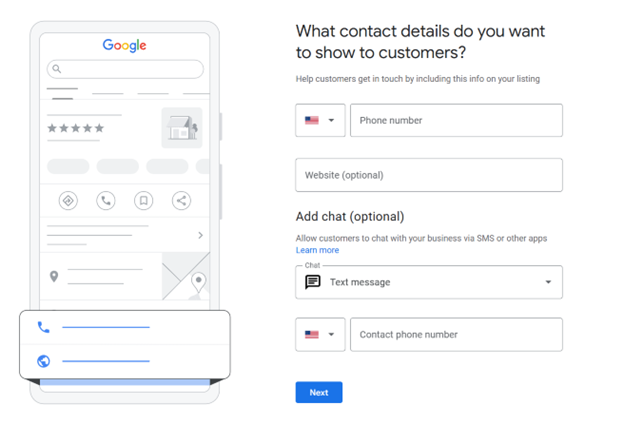
5. Now enter your contact information and make sure to fill out every field that you can. The more Google knows about you, the better job they can do bringing you customers. If you skip fields but other businesses provide information, they may get the customers instead of you. Here are a few of the fields to include in the process.
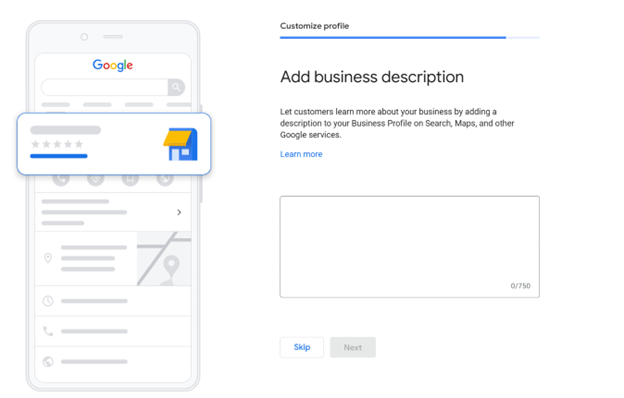
6. Your business description should include wording about what you offer, why you’re unique, and make customers want to use your business. Think about their needs vs. why you think you’re the best, and include the selling points that matter to them. Don’t be afraid to mention a signature service or product as it helps educate on everything available.
7. Add photos of your store including the front, the inside, you helping customers, and other spots that would make a customer want to choose your establishment or business.
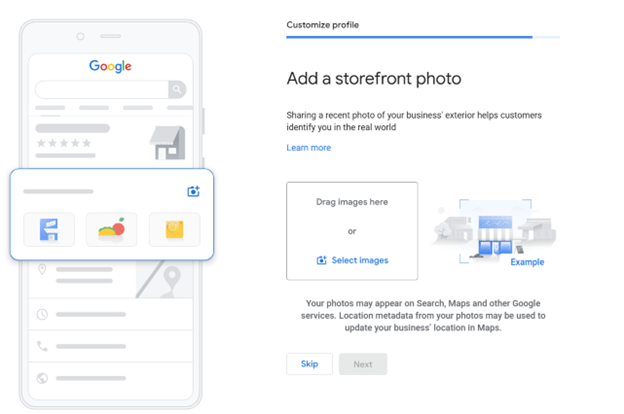
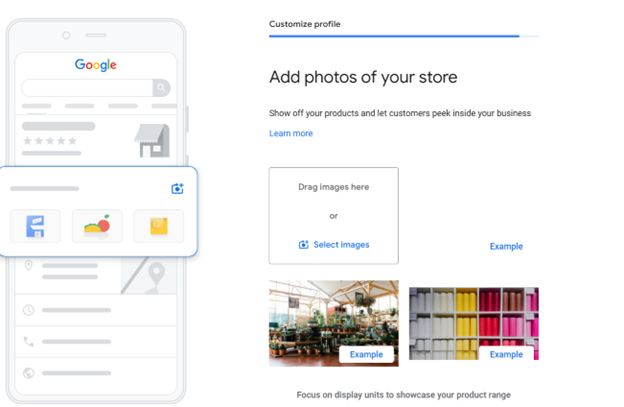
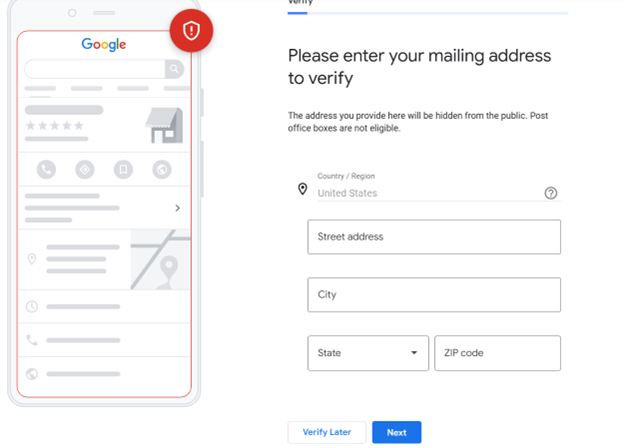
8. Now you’ll need to get verified. Verification is easy, enter your company’s physical address and you’ll be able to choose the option that works best for you which may include video records, a piece of mail, or a live video call.
Keep in mind that you cannot fake this. Google does audit the locations and you can lose the account and all of the work you put in if you do not have an actual location at the spot. Here is where you can find their current verification methods, sometimes they may require a mix of multiple verifications.
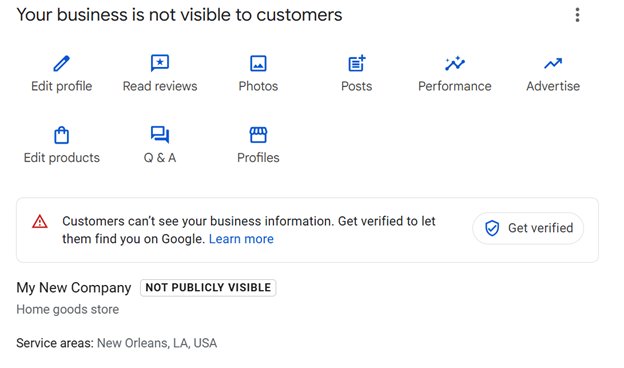
Now that your account is being verified, it’s time to begin optimizing for when you go live, and things you can do to continue optimizing so Google begins sending you new customers.
Optimization tips
Optimizing Google Business Profiles is about having up-to-date and accurate information, as well as sending the right signals that your company is the best and in demand. Signals can include actual customer five-star reviews, people clicking to and using your services from their systems, engaging with the calls to action like calling you or visiting your website.
Here are some of the ways you can optimize your Google Business Profile.
- Fill out every field from being handicap accessible to the products and services you offer or sell, and your store hours. If you add the product categories or services here, you make Google’s job easier as they know what you do, and your customers’ lives as well since they know you have a solution.
- If you are open an hour or two before or after other companies, or on holidays, make sure to select these times. If someone is searching for “pizza delivery now” or “late night airport shuttle service” and you are the one with the hours open, you may get featured over your competitors.
- Reviews are one of the most important signals, especially if they have photos and videos. Encourage your customers to leave them, and make sure you respond to your customers. It is fine to mention the product or service they had, and to mention others they may want to try next time. This lets potential customers know about all of your options and alternatives as a bonus. You’ll also want to respond to negative reviews in a helpful, supportive, and fair way.
- There are options for you to post events, announcements, and promotions. These are all bits of information Google can use to help your current customers know what is happening, and send you new customers that are looking for them.
- Make sure the information on your website like the address, phone number, and contact information match what you list in Google Business Profile.
- Holiday hours are an easy way for you to drum up business if you’re open and others are not, and to prevent negative reviews. If you forget to update that you’re closed and Google guides people to your store, they may leave a negative review for driving there when you’re closed. If you’re one of the only companies open, this can also bring you business which can result in more five-star reviews since you’re helping people when nobody else can.
Google Business Profiles are a fast and easy way to help keep your business represented properly in Google, and help new customers find you. By keeping your information up to date you’ll be in good standing, and when customers leave good reviews, it can help convince people shopping around that you’re the right choice. And when this happens, you may show up as recommendations in Google and on their maps.
SmallBusinessLoans does not provide tax, legal or accounting advice. This material has been prepared for informational purposes only. You should consult your own tax, legal and accounting advisors.